Aller au contenu
View in the app

A better way to browse. Learn more.

Forum Automobile Propre

A full-screen app on your home screen with push notifications, badges and more.

To install this app on iOS and iPadOS
  1. Tap the Share icon in Safari
  2. Scroll the menu and tap Add to Home Screen.
  3. Tap Add in the top-right corner.
To install this app on Android
  1. Tap the 3-dot menu (⋮) in the top-right corner of the browser.
  2. Tap Add to Home screen or Install app.
  3. Confirm by tapping Install.

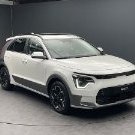
Accessoires Kia Niro EV
Featured Replies

Posté(é)


Hello,

Mes balais d'essuie-glace (avant) commencent à monter les premiers signes de faiblesse. J'ai l'habitude de monter des Aerotwin de chez Bosch sur mes véhicules mais je ne trouve aucune correspondance pour le NIRO EV. 

Est-ce que l'un d'entres vous aurait déjà changé les siens pour ce modèle et pourrait partager ici la bonne référence ?


  • 8 mois plus tard...
Posté(é)

J'ai trouvé enfin un support de teléphone dédié au Niro EV.

Un peu cher 33€

Par contre, permet d'avoir l'écran à proximité et avoir ABRP sur le tél  et Waze sur la voitureIMG-20251014-WA0001.thumb.jpg.d83e594f4d511d12bce215497561ca40.jpg

Screenshot_20251014_131232_AliExpress.jpg

IMG-20251014-WA0000.jpg

20251014_115126.jpg

20251014_115115.jpg

Account

Navigation

Rechercher

Rechercher

Configure browser push notifications

Chrome (Android)
  1. Tap the lock icon next to the address bar.
  2. Tap Permissions → Notifications.
  3. Adjust your preference.
Chrome (Desktop)
  1. Click the padlock icon in the address bar.
  2. Select Site settings.
  3. Find Notifications and adjust your preference.