



Aller au contenu
View in the app

A better way to browse. Learn more.

Forum Automobile Propre

A full-screen app on your home screen with push notifications, badges and more.

To install this app on iOS and iPadOS
  1. Tap the Share icon in Safari
  2. Scroll the menu and tap Add to Home Screen.
  3. Tap Add in the top-right corner.
To install this app on Android
  1. Tap the 3-dot menu (⋮) in the top-right corner of the browser.
  2. Tap Add to Home screen or Install app.
  3. Confirm by tapping Install.

Coffre/barres de toit
Featured Replies

Posté(é)

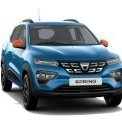
Comme je l'ai dit, je n'ai pas besoin d'attelage ou de barre de toit. Donc je n'ai pas acheté, c'est une photo des annonces (commerciale)


  • 3 mois plus tard...
Posté(é)
Le 03/11/2022 à 07:37, dparmen1 a dit :

Trois jours qu'elles sont installées.
Que fait la police ?

La police ne fera rien si rien ne l'interdit...


C'est pas un manuel d'utilisateur qui autorise ou interdit sur le point de vu légal, mais le COC....

Modifié par Jibe91

Posté(é)
Le 03/11/2022 à 07:33, dparmen1 a dit :

image.thumb.png.4d5c5cbd5af6f54c8e81d2aba5104a92.png

image.png

Bonjour,

est-ce compatible avec les barres de toit d'origine collées sur le toit?

Merci.

Posté(é)
  • Auteur
Le 03/11/2022 à 09:45, sange a dit :

Bonjour,

est-ce compatible avec les barres de toit d'origine collées sur le toit?

Merci.

Barres de toit pour Dacia Spring S-l1600

Posté(é)
  • Auteur
Le 03/11/2022 à 08:42, Jibe91 a dit :

La police ne fera rien si rien ne l'interdit...


C'est pas un manuel d'utilisateur qui autorise ou interdit sur le point de vu légal, mais le COC....

C'était une tentative d'humour 😇
COC ?

Posté(é)
Le 03/11/2022 à 13:06, dparmen1 a dit :

Barres de toit pour Dacia Spring S-l1600

Merci.

Je pense que je vais les commander, ça sera bien utile pour transporter les objets longs et/ou larges.  


Account

Navigation

Rechercher

Rechercher

Configure browser push notifications

Chrome (Android)
  1. Tap the lock icon next to the address bar.
  2. Tap Permissions → Notifications.
  3. Adjust your preference.
Chrome (Desktop)
  1. Click the padlock icon in the address bar.
  2. Select Site settings.
  3. Find Notifications and adjust your preference.