Sacegate69
Membre
-
Inscription
-
Dernière visite
-
OK autant pour moi 😕 n'étant pas technicien de la mécanique électrique des voitures 😔 je pensais naïvement que le fait que les voitures s'arrêtent automatiquement en mode autonome était due au système de one pedal. ( accélération et freinage automatique) Mais si c'est pas ça alors on devra le réclamer à corps et à cri 😫 😁
-
En ce qui concerne le one pedal où Xpedal je suppose qu'il sera mis en service lors de l'activation du ngp car je ne vois pas comment la voiture s'arrêterait en conduite autonome sans cette fonctionnalité. 🙄😕 Maïs il se peut que vu le nombre de personnes qui ronchonne pour cette absence d'origine, XPENG s'en occupe plus rapidement 🤔 Enfin j'espère, j'espère aussi qu'il se déciderons à vite permettre le choix d'une autre couleur que le Black pour la performance car c'est le modèle qui me plaît mais dans cette couleur c'est impossible 😭
-
Si vraiment le toit en verre vous dérange, essayez d'appliquer un film réfléchissant pour vitrage de maison à poser au-dessus du verre 😎 , je ne sais pas si ça sera efficace pour la voiture mais pour mes baies vitrées plein sud ça le fait grave ! 😅 Par contre je ne sais pas si après ça assombri trop l'habitacle 🙄 Après je dit ça je dit rien 😁
-
Oups 😞 pas vu désolé 😉 y'a un petit moment que je suis pas passé par la ☺️
-
J'ai vu sur YouTube que la version 5.9 est arrivé et qu'elle amène le vrai xpedal jusqu'à l'arrêt complet plus quelques autres subtilité. Personne n'a reçu cette dernière Maj ?
-
Envoi gratuit ? C'a me paraît trop beau pour être vrai 🥺
-
Sacegate69 a modifié sa photo de profil
-
A mon avis, pas 800€ 😅
-
Pas faut 😏
-
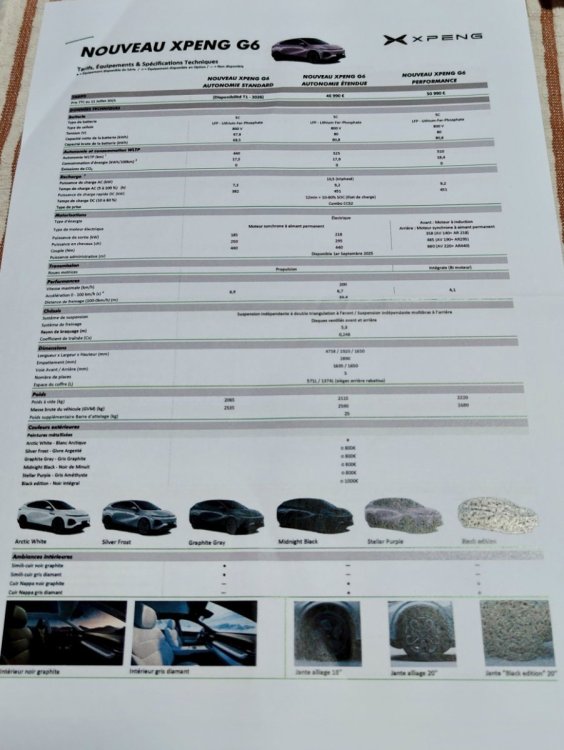
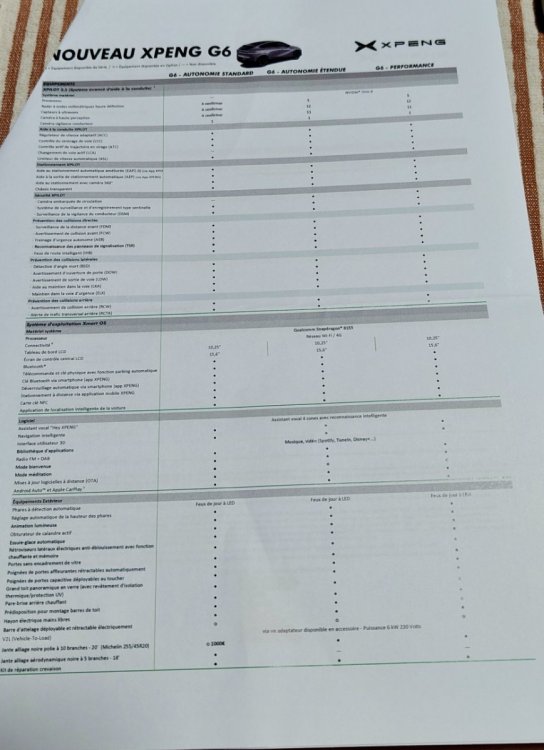
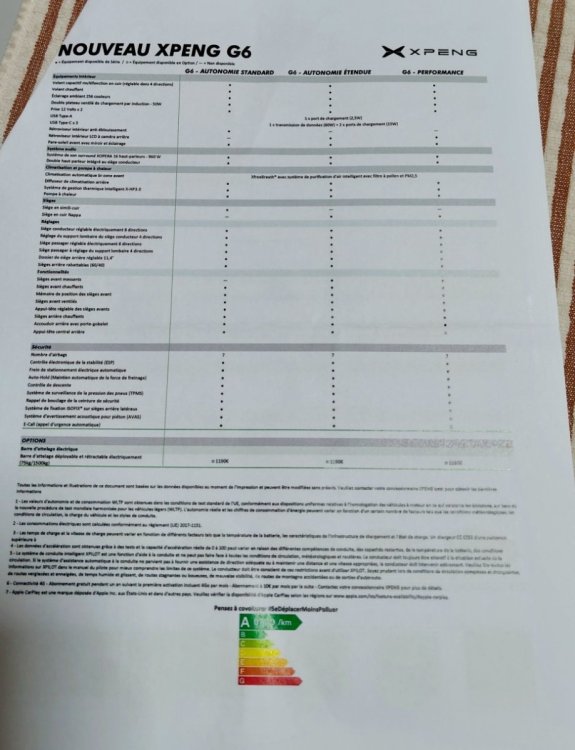
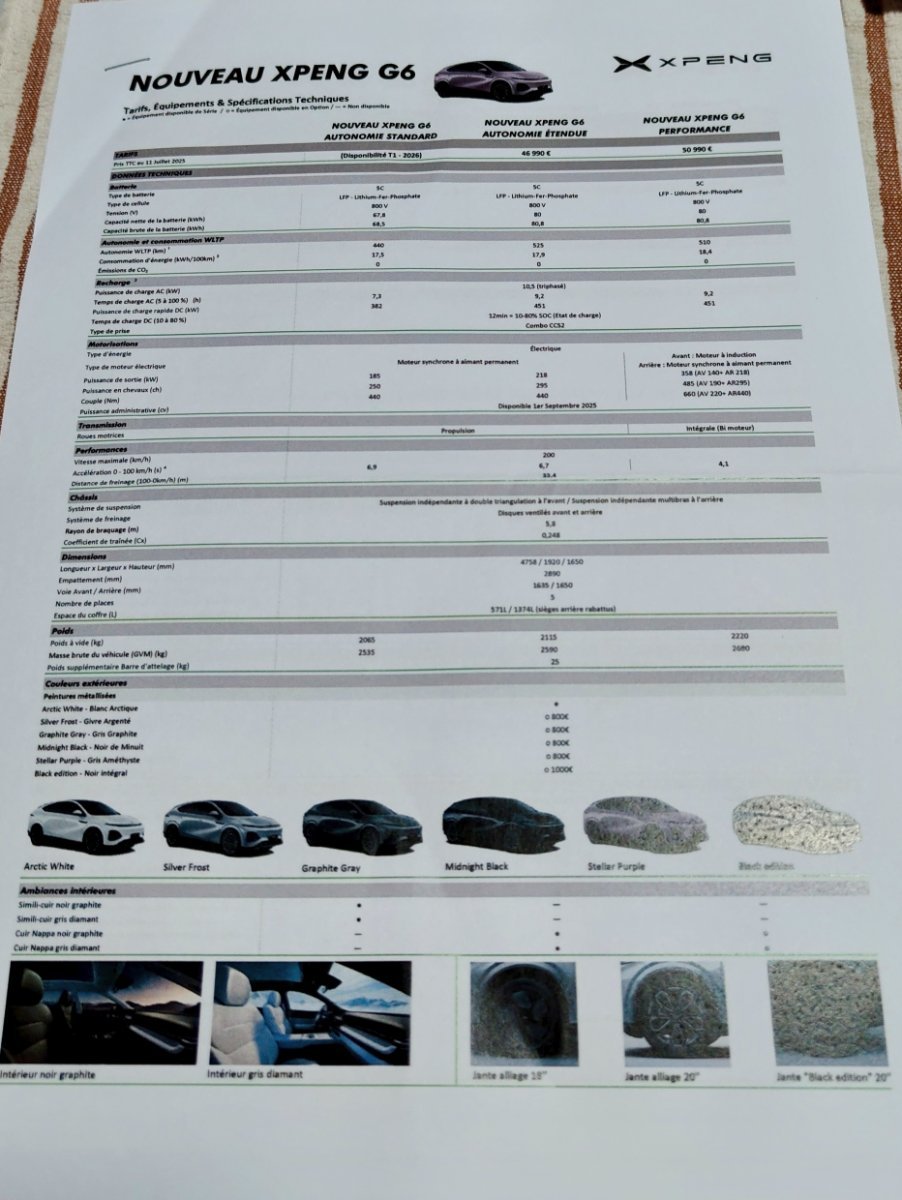
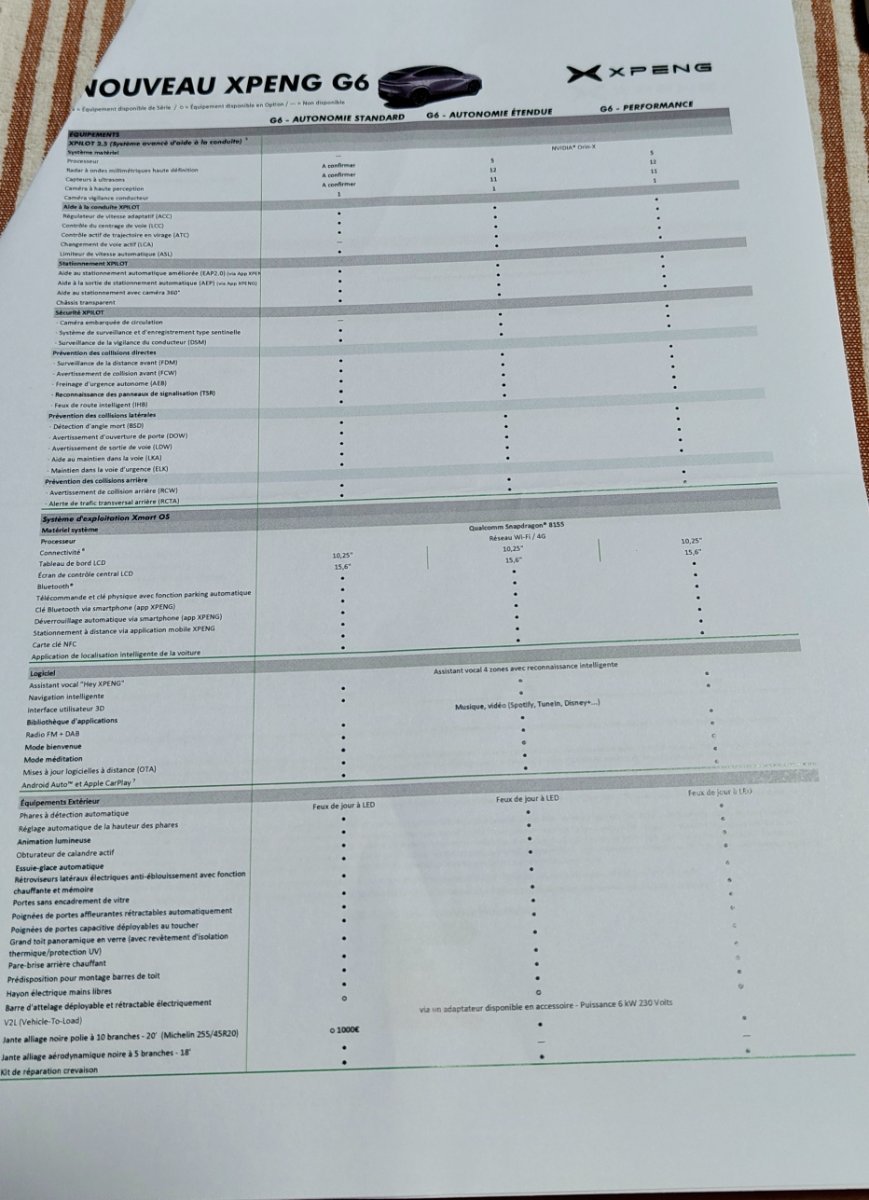
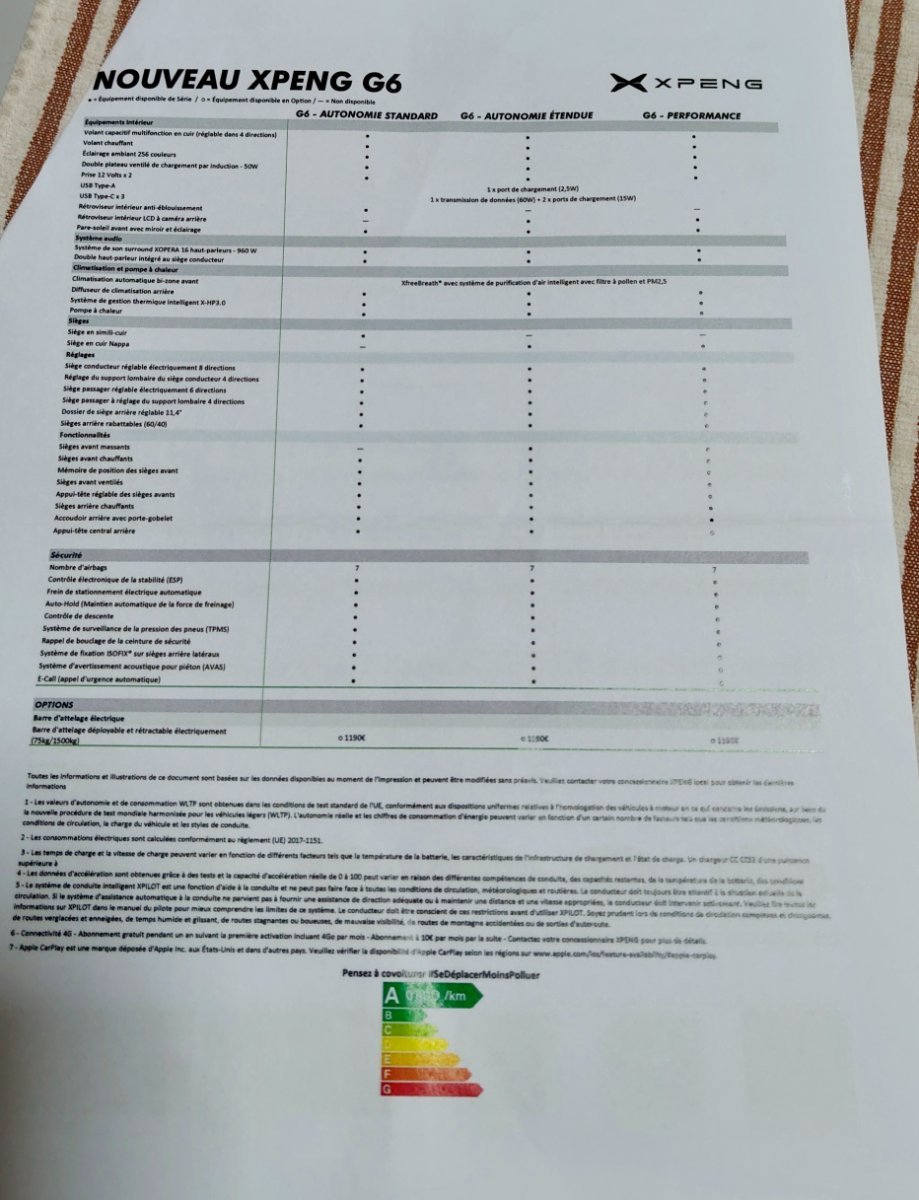
Hello à tous j'ai récupéré les specs hier à la concession vers chez moi après avoir été séduit par l'essai du g6 perf 2024 Bon sang que ça donne un grand coup de pied dans le c.. Ouah ça déménage, ça donne envie d'en prendre une, mais bon faut que je vende mon vieux diesel avant et c'est pas gagné.