




Aller au contenu
View in the app

A better way to browse. Learn more.

Forum Automobile Propre

A full-screen app on your home screen with push notifications, badges and more.

To install this app on iOS and iPadOS
  1. Tap the Share icon in Safari
  2. Scroll the menu and tap Add to Home Screen.
  3. Tap Add in the top-right corner.
To install this app on Android
  1. Tap the 3-dot menu (⋮) in the top-right corner of the browser.
  2. Tap Add to Home screen or Install app.
  3. Confirm by tapping Install.

Meowy

Membre
  • Inscription

  • Dernière visite

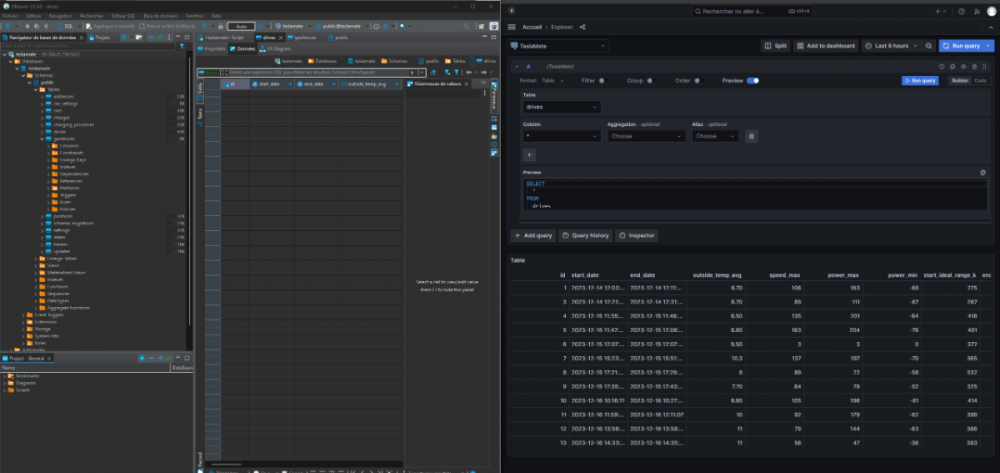
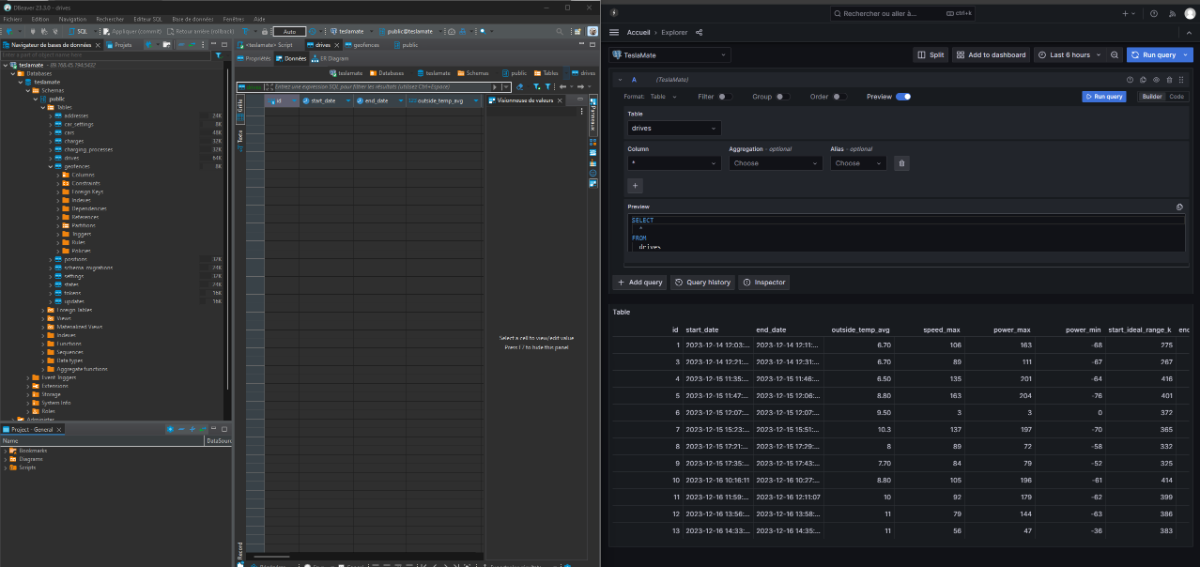
  1. Bonjour, Je viens de suivre le tuto scrupuleusement. Je souhaite accéder à la base Postgre, j'ai donc ouvert le port 5432 J'arrive à me connecter avec DBeaver à la base Teslamate et je vois bien les tables (addresses, drives, positions...). Cependant, elles sont toutes vides... (sur Grafana j'ai bien de la donnée, pareil quand j'explore via Grafana, je vois bien les drives). Savez vous pourquoi ? Merci bien
  2. Bonjour, Merci pour ce forum Meo, du Nord, 32 ans, je suis passé à l'electrique depuis 1 semaine. Petite folie de fin d'année avec mon épouse, on parlait en famille de Tesla, on a essayé quelques jours après...et on l'a adopté 15J après Merci à vous et à bientôt
Account

Navigation

Rechercher

Rechercher

Configure browser push notifications

Chrome (Android)
  1. Tap the lock icon next to the address bar.
  2. Tap Permissions → Notifications.
  3. Adjust your preference.
Chrome (Desktop)
  1. Click the padlock icon in the address bar.
  2. Select Site settings.
  3. Find Notifications and adjust your preference.