




Aller au contenu
View in the app

A better way to browse. Learn more.

Forum Automobile Propre

A full-screen app on your home screen with push notifications, badges and more.

To install this app on iOS and iPadOS
  1. Tap the Share icon in Safari
  2. Scroll the menu and tap Add to Home Screen.
  3. Tap Add in the top-right corner.
To install this app on Android
  1. Tap the 3-dot menu (⋮) in the top-right corner of the browser.
  2. Tap Add to Home screen or Install app.
  3. Confirm by tapping Install.

Aurel

Membre
  • Inscription

  • Dernière visite

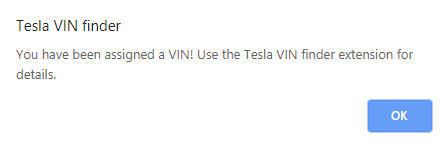
  1. Je l'ai !!!!!! 5YJ3E7EB9LF562xxx Encore plus content que si j'avais vu le Père Noël 😜
  2. Idem config et idem rien 😭😭 commandé le 18/10
  3. 🎶Et moi et moi et moi... Je n'ai pas de VIn, je comprends pas pourquoi lol
  4. Merci, 😭😭 moi commandé le 18/10 et rien 😱😭
  5. Même config que la mienne quasiment, juste l'intérieur qui diffère, tu l'as commandé quand?
  6. moi aussi ? Rhaaa également en Suisse ?
  7. Il y en a 5 sur le store français
  8. Merci. OK c'est noté. Pour le lien, je vais attendre de la recevoir peut être lol
  9. Salut tout le monde, Voila je me présente, Aurélien habitant dans le 57 et futur possesseur d'une Tesla Model 3 LR Blanche multicouche, AERO et Attelage. (FSD en stand by lol) A bientôt sur le forum


Account

Navigation

Rechercher

Rechercher

Configure browser push notifications

Chrome (Android)
  1. Tap the lock icon next to the address bar.
  2. Tap Permissions → Notifications.
  3. Adjust your preference.
Chrome (Desktop)
  1. Click the padlock icon in the address bar.
  2. Select Site settings.
  3. Find Notifications and adjust your preference.