



Aller au contenu
View in the app

A better way to browse. Learn more.

Forum Automobile Propre

A full-screen app on your home screen with push notifications, badges and more.

To install this app on iOS and iPadOS
  1. Tap the Share icon in Safari
  2. Scroll the menu and tap Add to Home Screen.
  3. Tap Add in the top-right corner.
To install this app on Android
  1. Tap the 3-dot menu (⋮) in the top-right corner of the browser.
  2. Tap Add to Home screen or Install app.
  3. Confirm by tapping Install.

Hello # - Application tierce pour iPhone
Featured Replies

Posté(é)

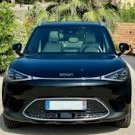
Hello # l'application tierce pour iPhone vient de passer en version 2.0 et ajoute le support du smart #5


Si vous avez jeté un oeil sur la partie Smart #1 vous avez vu que c'est une histoire qui a commencé il y a un an. Peut être je devrais demander aux admins de bouger ce sujet dans "smart" au lieu de "smart #1"


Clément vous a entièrement redesigné l’app pour une expérience plus rapide, plus intelligente et plus fluide.
Ce redesign va permettre de continuer les trucs sympa (Apple Watch? Live Activities?)
 
Téléchargez sur l'app store: https://apple.co/3wdSfjc
🆕 Support pour smart #5
📱 Arrivée des widgets iOS
⚙️ Refonte totale — interface + moteur interne
☕️ Un petit bouton “Offre-moi un café”
🇵🇹 Maintenant dispo en portugais

image.thumb.png.4318df54e195e7dcceaabc06dc56e760.png

image.thumb.jpeg.effb1139cf9dd076163b3680a88fd2c0.jpeg

  • 1 mois plus tard...

Account

Navigation

Rechercher

Rechercher

Configure browser push notifications

Chrome (Android)
  1. Tap the lock icon next to the address bar.
  2. Tap Permissions → Notifications.
  3. Adjust your preference.
Chrome (Desktop)
  1. Click the padlock icon in the address bar.
  2. Select Site settings.
  3. Find Notifications and adjust your preference.